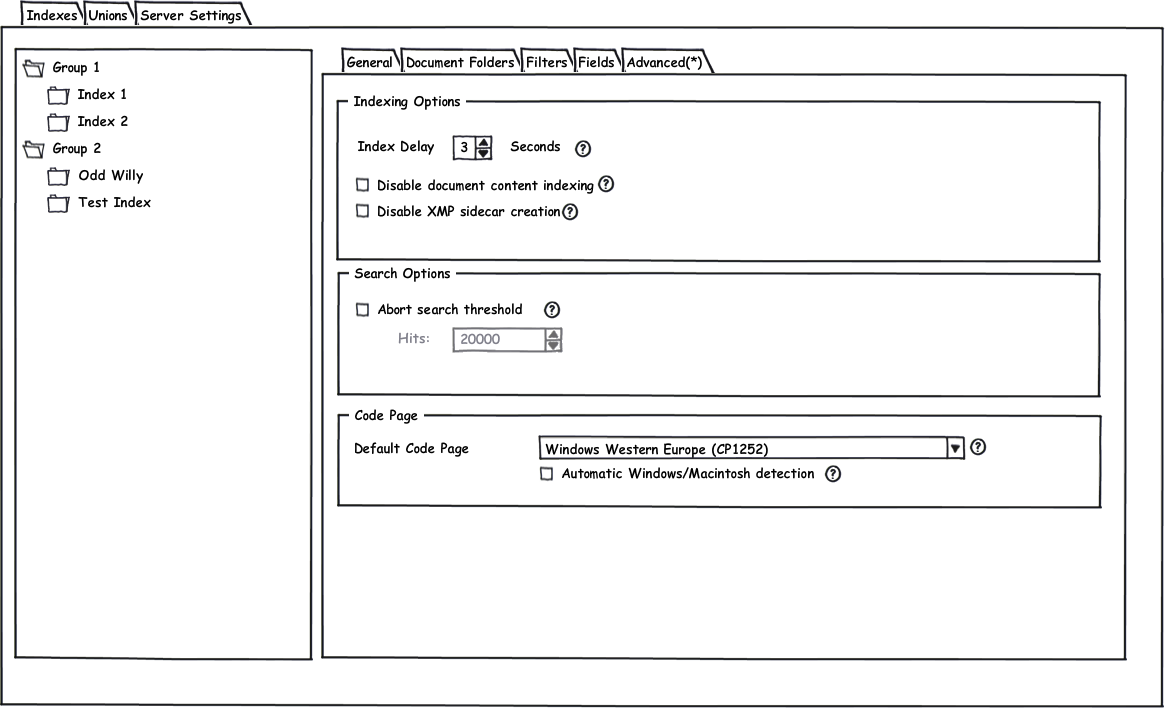
On the Advanced page you find special options that control how Index Manager handles different aspects of the index.
Index Delay: The Index Delay setting controls the number of seconds Index Manager waits from the time a file changes until it re-indexes that file. In an archive with much I/O it may be a good idea to increase the default setting of three seconds somewhat to avoid constantly rewriting of the index. Decreasing the delay will create more index fragmentation (and result in longer search time) while increasing it will extend the time before file changes are visible and searchable.
Disable document content indexing: By default, Index Manager will add both metadata and document content to the index. However, if you do not want to index document content, simply select this checkbox. XMP metadata (whether embedded or in a sidecar file) will still be indexed and searchable.
Disable XMP sidecar creation: Normally when indexing documents, Index Manager stores document in XMP either embedded in the file or in a sidecar file. This makes it possible to read out the document content in the FotoStation view templates and when hovering the mouse pointer over a thumbnail in FotoWeb. If you do not want Index Manager to write this information back, you should choose to disable XMP sidecar creation. The content will still be indexed and searchable, but FotoStation / FotoWeb will not be able to extract and display the document content.
Abort search threshold: This setting makes it possible to force Index Manager to abort a search that produces a very large number of hits, for example if a user performs a very general search. To use this option, enable the Abort search threshold and set the maximum number of hits Index Manager can produce before the search is cut off. Index Manager will return the files found to the client, but there is no guarantee that the files found are the latest or most relevant ones.
Default code page: The code page setting determines the codepage Index Manager uses when interpreting metadata in IPTC format. Since IPTC can be stored in a number of different code page formats, it is important that you get the codepage setting correct. For systems set up for use in Western Europe and the USA, you can generally set the codepage to Windows Western Europe or Macintosh Western Europe and turn on automatic detection of Windows or Macintosh input.
Note that if your archive contains strictly XMP metadata, the code page setting does not come into play. XMP metadata is stored in Unicode which makes character set translation obsolete. If you want to make sure your entire archive is converted to XMP metadata you can contact FotoWare and ask for information about the Archive Converter application, which is designed to convert entire archives from IPTC to XMP metadata.